Live answers on your calls. Invisible when you share your screen.
The Windows app listens to Zoom and Teams desktop calls and puts the answer on your screen the moment they ask. Share your screen or record the call and the overlay stays out of it. Only you can see it.
Free · Windows 10 & 11 · 14-day Pro trial, no card · Prefer an installer? Download wazomind-setup.exe
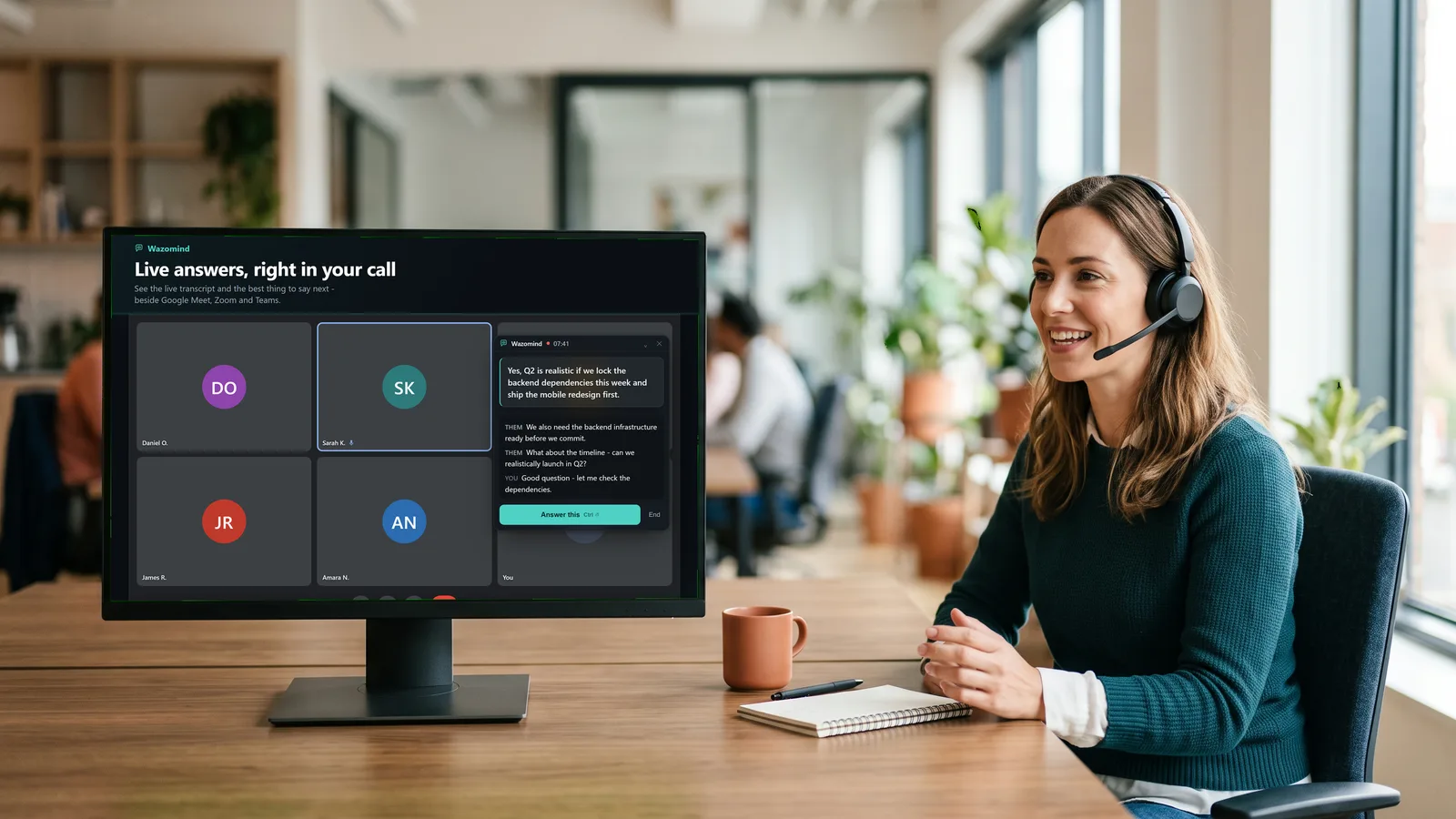
You see the answer. They see your slides.
Most live assistants show up the second you share your screen. Wazomind's overlay uses Windows' exclude-from-capture setting, so Zoom, Teams, Meet and screen recorders skip it. It's on from the moment you open the app. Nothing to switch on.
Annual is $950 for five seats, about $16 a seat a month, setup included.
Everything the Chrome extension does, plus the desktop.
Zoom and Teams desktop apps
Hears the desktop apps most companies actually use, not just browser tabs. Meet, Webex and browser calls work too.
Reads what they share
When they put up a slide or spreadsheet, Wazomind reads it, so your answer uses their numbers, not a guess.
Answers from your documents
Load your pricing, battlecards and case studies. Answers come from your material, with the source shown.
Remembers past calls
"What did they say about budget last time?" Picks up where you left off with each client.
Notes and follow-up, done
Summary, decisions, action items with owners and a ready-to-send follow-up email when the call ends.
Offline when you need it
Run fully on your laptop with local models for sensitive calls. Your notes stay on your device.
Calls where you're presenting and they're asking.
Three steps from the Microsoft Store.
- Click Get it from the Microsoft Store. If your browser asks, choose Open Microsoft Store.
- On the Store page, click Get. Windows installs it and keeps it updated. No security warning, it's signed by Microsoft.
- Open wazomind AI from the Start menu, join your call, and start Wazomind. Your 14-day Pro trial starts automatically.
The straight answers.
Is the Wazomind window really invisible when I share my screen?
Yes. The answer overlay uses Windows' exclude-from-capture setting, so screen shares and recordings in Zoom, Teams, Google Meet and most recording tools show what's behind it, not the overlay. You still see it on your own screen. It's on from the moment you open the app.
Does a bot join my meeting?
No. Wazomind runs on your own computer and listens to your call's audio. Nothing is added to the participant list.
Which meeting apps does it work with?
Zoom and Microsoft Teams desktop apps, plus Google Meet, Webex and any call in your browser. Unlike the Chrome extension, it hears the desktop apps too.
How is it different from the Chrome extension?
The extension works on calls in your browser and is the quickest way to try Wazomind. The Windows app adds the Zoom and Teams desktop apps, stealth mode on screen share, reading shared slides and spreadsheets, memory of past calls and offline mode. The extension's panel is part of the web page, so it does show if you share that tab.
How much does it cost?
The app is free on the Microsoft Store and starts with a 14-day Pro trial, no card needed. After that you keep 5 meetings a month free, or unlimited with your own API key. Pro is $19 a month.
Is there a Mac version?
Not yet. A macOS version is coming. On a Mac, use the Chrome extension for calls in your browser.
Your next call, with the answer ready.
Free on the Microsoft Store. On a Mac or Chromebook? Use the Chrome extension.